

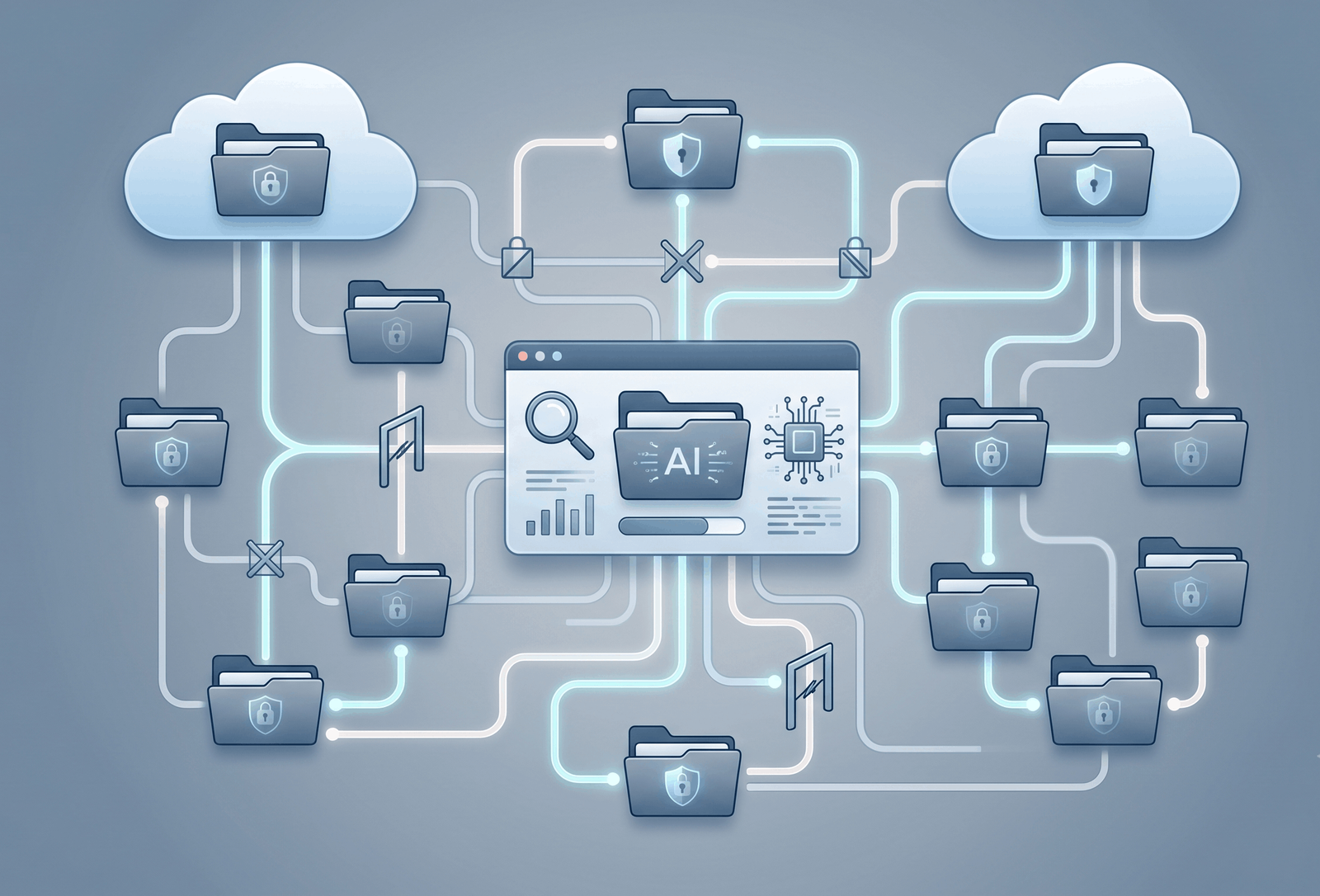
Notion has quietly extended its AI search tools into Box, letting users ask questions about files stored in Box without leaving Notion. For most teams, that’s a convenience. For enterprise security officers, it raises a sharper question: can someone use Notion AI to see Box content they wouldn’t otherwise be allowed to open?
Notion’s own documentation answers that question directly — and mostly reassuringly. But a close read of that same documentation also turns up a genuine contradiction and a few gaps worth flagging before any security team signs off.
What the Notion AI Connector for Box Does
The Notion AI Connector for Box is listed on Notion’s official Connections marketplace as a way to “search your Box files and folders in Notion.” Once connected, users can ask Notion AI to summarize a Box file, pull out key decisions, or compare two documents, without opening Box separately.
Setting it up isn’t a one-click affair. According to Notion’s Help Center, the connection requires a Box Admin and a Notion workspace owner working together, a Notion workspace on a paid Enterprise plan, and a Box plan that includes Box’s Extract Agents API. Setup happens through Notion’s settings menu, under Notion AI’s AI Connectors tab, and finishes with a standard-looking consent screen on Box’s side asking the admin to “Grant Access to Box.”
That combination of requirements — Enterprise-only, admin-gated, tied to a specific Box feature — signals this is built for larger organizations, not casual users linking a personal Box account.
The Core Question: Are Box Permissions Enforced?
Here’s the direct answer, in Notion’s own words: yes. Notion’s Help Center states that “Notion AI strictly follows existing permissions” and that “users can only generate content and receive responses about files they have permission to access in Box.”
That’s an important, specific commitment — not a vague assurance about “taking security seriously,” but a stated technical behavior: no permission in Box, no access via Notion AI, full stop.
Of course, this is Notion’s own claim about its own product, published in its own help documentation. No independent audit or third-party security review of the Box connector specifically was found during this reporting. Readers evaluating the connector for their own organizations should weigh that as a company statement worth scrutinizing, not an outside verification.
How Permission Inheritance Works
Notion’s documentation gets specific about how it interprets Box’s permission structure, using a worked example. Picture a nested folder structure: Folder 1 contains Folder 2, which contains Folder 3, which contains a file.
Access flows downward. If a user has access to Folder 1, they automatically have access to Folder 2 and Folder 3, and everything inside them. But it doesn’t flow upward: a user granted access only to Folder 3 does not gain access to Folder 1 or Folder 2. The file itself is accessible to anyone who has been granted access to it directly, or who has access to any folder above it in that chain.
Folder 1
 └── Folder 2
      └── Folder 3
           └── file.txt
Access to Folder 1 flows down through Folder 2 and Folder 3 to the file. Access granted only at Folder 3 does not flow back up to Folder 2 or Folder 1.
That mirrors how Box’s own folder permissions actually work, which is the point — Notion says it isn’t building a separate permission system, just checking against Box’s existing one.
There’s a notable exception, though. Box supports shared links that can expand access beyond a file’s direct collaborators — for instance, a link set to “anyone in the company” or “anyone with the link.” Notion’s documentation states plainly: “Shared link permissions are currently not supported.” In other words, if your organization relies on shared links rather than direct folder access to control who sees what, the connector’s permission model doesn’t currently account for that access pathway at all. That’s a specific, documented limitation worth flagging to any team that uses Box shared links heavily.
How Access Is Verified — User Mapping and Sync Timing
Enforcing permissions requires Notion to know which Box account belongs to which Notion user. It does this by matching primary email addresses between the two platforms. If a person’s email doesn’t match between Box and Notion, they’re prompted to authenticate separately.
Critically, this isn’t a one-time check performed only when the connector is first set up. Notion’s broader Enterprise Search documentation states that permissions are “checked at query time, not just during indexing,” and that changes to permissions in a connected system are typically reflected within about an hour, longer for very large workspaces. The Box-specific documentation adds that collaboration expirations and Box’s own retention-policy deletions are checked hourly.
That’s a meaningfully different guarantee than real-time enforcement. If someone’s Box access is revoked, there’s a documented window — up to roughly an hour — during which Notion AI’s search results could theoretically still reflect the old permission state. For most organizations that’s a reasonable trade-off for a connector’s performance; for organizations with strict same-second revocation requirements, it’s worth knowing about explicitly rather than assuming.
Authentication Model: What’s Confirmed and What’s Inferred
One natural question for a security review is whether the connector authenticates as an individual user or through a single, broadly-scoped account. Here, Notion’s documentation is less precise.
What is documented: the initial connection is established by a Box Admin and a Notion workspace owner, and the process routes through Box’s own consent screen. What is not documented, at least not in these exact terms, is whether the underlying mechanism is a form of OAuth or a centralized service account with organization-wide access.
Taken together, the evidence points toward an admin-authorized, organization-level connection for ingestion, paired with a separate layer of per-user permission checking based on the email-matching system described above. That’s a reasonable and fairly common architecture for enterprise search tools. But it’s worth being precise: this is an inference drawn from how the setup process and permission checks are described, not something Notion states directly using the terms “OAuth” or “service account.” Anyone requiring precision on this point for a compliance review should ask Notion directly.
Data Storage: A Documented Contradiction
This is the most interesting finding in Notion’s own documentation, and one that doesn’t get fully resolved.
The Box-specific FAQ states: “Box data is not stored directly, and we do not store Box files or their contents in vector databases.” It adds that some “auxiliary statistics and data may be logged” through Notion’s observability systems, which it says have been reviewed internally and by an external SOC 2 Type II auditor.
But Notion’s general Enterprise Search security documentation describes a different flow for connected apps as a category: content is turned into embeddings — numerical representations of the text — and those embeddings are stored in a vector database, specifically naming Turbopuffer, “for data coming in through connected apps with AI Connectors.”
Those two statements, both published by Notion, sit in tension. One says Box content specifically isn’t stored in a vector database; the other describes exactly that kind of storage as standard practice for connected apps generally. Notion’s public documentation doesn’t reconcile the two. It’s plausible that Box’s connector works differently because it depends on Box’s own Extract Agents API to process content on Box’s side, rather than requiring Notion to build its own index — but that explanation isn’t something Notion states outright. It’s a logical possibility, not a confirmed fact.
For a security team, the honest takeaway is that this specific question — is Box file content, in any embedded form, persisted anywhere in Notion’s infrastructure — doesn’t have a fully consistent public answer right now, and is worth raising directly with Notion before relying on either version.
Compliance and Data Retention
On the broader question of data handling, Notion’s documentation is more consistent. For Enterprise-plan workspaces, which is the only tier where this connector is available, Notion’s AI security and privacy documentation states that its large language model providers use zero data retention by default — meaning no data is stored with those providers after a request completes. Non-Enterprise workspaces, by contrast, get a maximum 30-day retention window with LLM providers, though this connector isn’t available on those plans anyway based on current documentation.
Notion also states that Notion AI, and by extension its AI Connectors, fall within the scope of its SOC 2 Type 2 report and ISO 27001 certification. That’s a family-level claim about Notion AI and Enterprise Search generally, not an audit finding specific to the Box connector by name — a distinction worth preserving rather than blurring.
If Box is disconnected from Notion AI, the documentation states that Box content becomes immediately unsearchable, consistent with what Notion describes as a data-minimization approach.
What’s Verified, What’s Inferred, and What’s Unresolved
| Question | Status | Basis |
|---|---|---|
| Does the connector enforce Box’s existing file permissions? | Verified | Directly stated in Notion’s Box AI Connector documentation |
| Does folder-based permission inheritance mirror Box’s structure? | Verified | Worked example in Notion’s documentation |
| Are shared-link permissions enforced? | Not supported | Explicitly stated as unsupported in Notion’s documentation |
| Are permission changes enforced in real time? | Partially verified | Documentation describes hourly checks, not real-time sync |
| Is the authentication model OAuth or a service account? | Inferred, not confirmed | Based on the admin-led setup process; not stated in these terms by Notion |
| Is Box file content stored in a vector database? | Contradicted | Box-specific FAQ says no; general Enterprise Search documentation describes vector storage for connected apps generally |
| Is the connector covered by SOC 2 Type 2 / ISO 27001? | Verified at the Notion AI/Enterprise Search level | Stated in Notion’s Enterprise Search documentation; not an audit specific to the Box connector |
What This Means for Security Teams
Boiled down, three things matter most for anyone deciding whether to approve this connector:
First, the core promise — permission enforcement based on Box’s existing access controls — is stated clearly and specifically by Notion, with a concrete mechanism (folder inheritance) rather than a vague assurance.
Second, two real gaps are worth building into any risk assessment: shared-link access isn’t currently covered by the permission model, and permission changes take up to roughly an hour to propagate rather than applying instantly.
Third, the unresolved contradiction about vector-database storage of Box content means teams with strict data-residency or data-minimization requirements should get written clarification from Notion directly, rather than relying on either published statement alone.
None of this amounts to evidence that the connector is unsafe. It amounts to evidence that Notion has published a reasonably detailed, mostly coherent account of how the connector handles permissions — with a few specific loose threads that a careful reviewer shouldn’t skip over.
What’s Still Unknown
A handful of questions remain open based on what Notion has published. The exact retention period for the “auxiliary statistics” Notion says it may log from Box activity isn’t disclosed. Whether the connector will ever be available outside the Enterprise plan isn’t addressed either way. And the vector-database contradiction described above remains just that — a contradiction, not a resolved technical answer.
Conclusion
Based on Notion’s own documentation, the Notion AI Connector for Box is designed to respect Box’s existing file permissions, using a folder-inheritance model that mirrors Box’s native structure and checks access roughly hourly rather than only at setup. That’s a substantive, specific answer to the question enterprise security teams are asking, and it’s more detail than many connector vendors publish.
At the same time, the record isn’t airtight. Shared-link access sits outside the current permission model, propagation isn’t instantaneous, and Notion’s own documentation disagrees with itself on whether Box content ends up in a vector database. Organizations evaluating this connector should treat Notion’s permission claims as a serious, detailed starting point — and treat the open questions as items to resolve directly with Notion before wide deployment, not as settled facts either way.
Frequently Asked Questions
Does Notion AI respect Box file permissions during search? Yes, according to Notion’s documentation. Notion states that Notion AI “strictly follows existing permissions” and that users can only receive AI-generated responses about Box files they already have permission to access.
Can a Notion AI user see Box files they don’t have permission to access? Not according to Notion’s stated design. The connector mirrors Box’s folder-based permission inheritance, so access in Notion AI is meant to match a user’s actual Box access.
How does Notion AI handle Box shared links? It doesn’t currently account for them. Notion’s documentation explicitly states that shared link permissions — links that can expand access beyond a file’s direct collaborators — are not currently supported by the connector’s permission model.
How quickly do Box permission changes take effect in Notion AI? Not instantly. Notion’s documentation describes hourly checks for collaboration expirations and retention-based deletions, and states more generally that permission changes across connected apps are typically reflected within about an hour.
Does Notion store Box file content in its AI systems? This isn’t fully clear. Notion’s Box-specific FAQ says Box files and their contents are not stored in vector databases, but Notion’s general Enterprise Search documentation describes embedding and storing content from connected apps in a vector database. The two statements haven’t been publicly reconciled.
What Notion and Box plans are required to use this connector? A Notion workspace must be on a paid Enterprise plan, and the connected Box account must be on a Box plan that includes the Extract Agents API. No availability on other Notion plans is currently documented.
Is the Notion AI Connector for Box covered by SOC 2 or ISO 27001? Notion states that Notion AI, including its AI Connectors generally, falls within the scope of its SOC 2 Type 2 report and ISO 27001 certification. This is a company-wide claim about Notion AI rather than an audit specific to the Box connector.